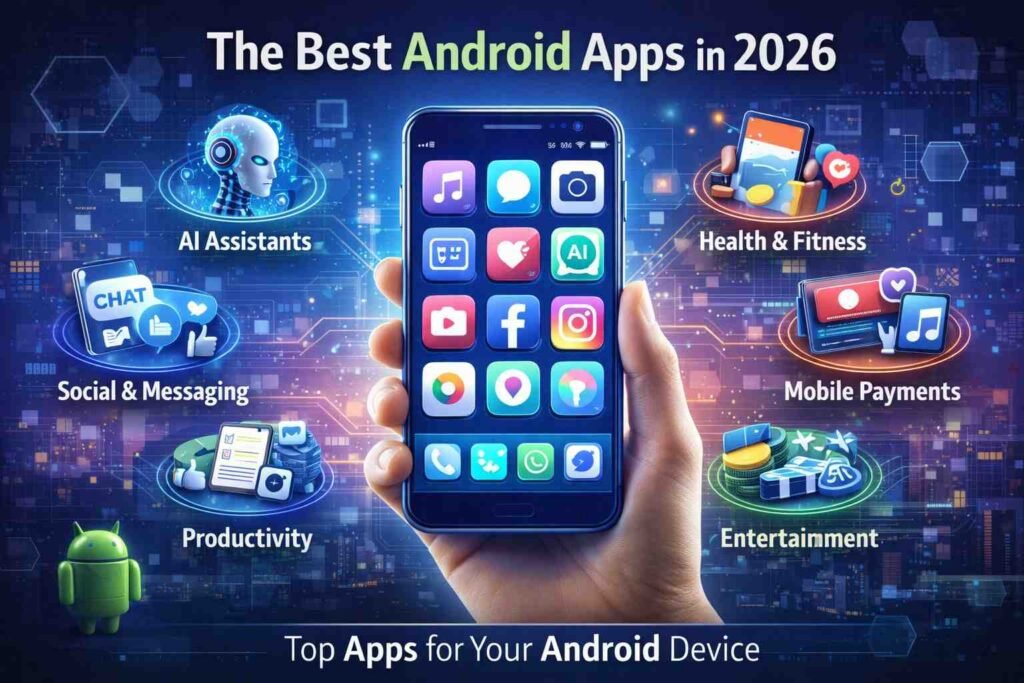
The world of Android apps has changed dramatically; Artificial Intelligence (AI) and Automation and Cloud Integration are the catalysts for this new generation of mobile tools. Today’s top Android applications are not only utility-based but are powerful platforms that empower users to work smarter, communicate better, and produce professional-quality content on their mobile devices.
AI also plays a pivotal role in the evolution of modern Android applications. With AI-powered personal assistants and automated workflow applications being integrated into many popular Android applications, the move to more intelligent mobile experiences has been pervasive.
In this article we will review some of the best Android applications of 2026 based on seven major categories. Whether you want to improve productivity, improve creativity, automate processes on your mobile device or improve your method of communication, these apps provide some of the best tools available today for Android users.
Ai-Driven Productivity Apps
Productivity applications rank among the most downloaded and used applications on Android devices. In 2026, the majority of these applications will have some form of AI that assists in planning, note-taking, collaborating, and automating workflows.
Notion
Notion is the most versatile productivity application for Android and offers note-taking, project management, database management, and collaboration within a single application. Users may create and organize their work, structure their documentation, track their tasks, and collaborate with others in real-time.
Another reason that Notion continues to be a popular choice in 2026 is its built-in artificial intelligence capabilities. The application can summarize notes, create content ideas, and help structure your documentation more effectively. This gives the app great value to various user profiles such as students, entrepreneurs, content creators, and remote teams.
Because Notion has such a flexible user interface, users can customize how they use Notion for their workflows. Users can create anything from basic planners to complex business dashboards with Notion.
Todoist
Todoist is another critical productivity application for Android. Users who need a simple but robust task manager should consider using Todoist as their task management application. Todoist makes organizing day-to-day tasks easy for individuals and teams, allowing users to prioritize and set deadlines.
Some of the primary characteristics of Todoist are recurring tasks, reminders, project folders, and shared task lists. All these functions make it a great option for both personal organization and for use in project management; they make it simple to use the app for both types of tasks.
The streamlined interface and ability to sync across all three layers of your computer, (smartphones, tablets and desktops) means users can manage tasks using their smartphones, tablets and desktop computers. As a result, people who have good time management skills will continue to use Todoist as a mean of keeping their life organized and to be productive throughout the day.
Trello – Visual Project Management Tool
Trello is one of the most popular management tools used by both teams and individuals to visually manage their projects. The app uses boards, lists, and cards to create an easy-to-use platform for managing tasks and managing workflows.
Now, with the inclusion of AI capabilities in 2026, Trello can help its users to manage their projects in a more efficient way by suggesting project/task structure, suggesting deadlines and automatically categorizing cards within the boards.
Trello has a user-friendly drag-and-drop interface making it easy-to-use for groups that need to track a number of tasks, which would require team members to look out for each other and make sure to stay on task.
Mobile Increasingly Using AI-Powered Applications
Artificial intelligence (AI) will be one of the biggest trends in Android apps by 2026. A large number of current mobile apps use AI in the following ways: writing help, researching information, creating automated processes and developing creative materials.
The AI App ChatGPT Does More than Just Help Users Complete Tasks
Modify Your Text To Correct Grammatical Errors And Problems With Word Usage. Make Sure You Maintain The Overall Meaning Is Similar By Using The Same Tone, Form Of Address, And Style Of Writing. Change Up A Few Sentence Structures, But Keep The Original Meaning Of The Source Material As Much As Possible.
Chat GPT is one of the most utilized apps on Android devices because it provides users with assistance in completing myriad tasks. Users can utilize ChatGpt to compose messages, brainstorm stable and liquid ideas, gather quick solutions, and create summary documents at true speed.
Users can also utilize Chat GPT for creating study notes, generating business documents or codes, and receiving accurate amplification of all their data through the use of modern academic/enterprise data integrated with the very large language model in ChatGpt.
The increasing interest in using AI application tools such as ChatGpt to supplement daily activities reflects a major change in how people use AI technology to accomplish a variety of tasks at work and school and the increasing trend of AI-based applications being some of the fastest-growing applications worldwide.
The AI Assistant Google Gemini
As one of the most powerful AI assistants built specifically for use in the Android ecosystem, Google Gemini has the potential to become one of the most valuable applications available. As such, Google Gemini is deeply integrated into the complete suite of Google applications; so users can easily access all the applications together with Google and use them seamlessly.
Google Gemini assists you in composing messages, summarizing documents, answering questions, and generating creative thoughts for all of your projects while connecting with other Google platforms/applications to aid users in scheduling/calendaring events, managing tasks, retrieving data from multiple sources rapidly, etc.
This direct integration means that for people who use Google products for everyday tasks, Gemini is one of the best AI products available to Android users.
Microsoft Copilot – The AI App for Work and Creativity
Microsoft Copilot brings powerful Artificial Intelligence to Android Apps. Whether you use Microsoft Word, Excel, or Outlook, this all-in-one App can help you be more productive.
Copilot can assist you with writing, analyzing data and even creating graphics. You can say “Hey Copilot, can you create me a PowerPoint presentation based on these Word Documents?” Or “Hey Copilot; can you visually represent the data in these Excel files?”
If you are a professional or student that uses Microsoft productivity solutions, Copilot offers you a great mobile assistant with which you can improve both your productivity and creativity.
Creative Apps for Design and Content Creation
Creating and sharing content are now among the most common things people do on their mobile devices. Android has some of the most capable Apps you can find that help you design graphics, edit images, and produce high-quality visual content.
Canva – Your Mobile Design Studio
Canva has become a full-fledged design studio available for use on your smartphone. The Android App allows you to create social media graphics, posters, presentation slides, and marketing materials directly from your phone.
In 2026, Canva has developed advanced AI capabilities that enable users to create designs by simply typing in what they want; all the response required from the user is a written description and templates/illustrations will appear instantly as per their requirements.
Because of its huge range of pre-designed templates, an easy-to-use interface and an intuitive way of creating designs, Canva is becoming widely used by those creating social media content, by small businesses and marketers.
Adobe Lightroom – A Professional Photo Editor
Adobe Lightroom is still one of the most useful photo-editing applications found on Android phones and contains many features that give users control over how their photos look with color grading, color Raw and various advanced editing capabilities.
Lightroom also uses an artificial intelligence-based tool to allow users to remove distractions from their images, enhance their images automatically and effectively manage thousands of photographs in their collections. All of these features allow photographers and content creators to produce a high-quality image on their mobile device.
The fact that images edited in Lightroom can be accessed from multiple devices thanks to cloud synchronization, can be very helpful to different groups such as photographers, graphic designers, etc.
YouCam – Your AI Designed Beauty & Photo Editor
YouCam is another example of an Android photo-editing application that caters specifically to the creation of selfies and portrait photos. YouCam has built AI functionality into many of its features, including providing users with beauty filters, enhancing their appearance and customizing background changes.
Hundreds of creative effects and collage options will allow social media users to enhance their photos by using this app before posting them. Since it’s launch, this app has been downloaded hundreds of millions of times globally and therefore is very popular amongst mobile photographers.
Apps Communication and Connectivity
Apps which provide communication options continue to be an important aspect of the mobile experience. By 2026, messaging services will be massively improved, with additional AI features and privacy features as well as alternative types of networking technologies.
Zoom – Video Communication with AI
Zoom has grown into one of the more commonly used applications for video communication (especially in remote working situations, for educational and online business meetings).
With AI capabilities newly added to its Android application (such as real-time transcription, meeting summary creation, automated extraction of action items from minutes, etc.), this application will become even more useful for end users wanting to maintain organized memories of how they interacted during their digital interactions, while still being able to capture pertinent information from meetings.
Due to the continued prevalence of working remotely in a lot of industries, Zoom will still be an important selected application to utilize by both students and professionals.
BitChat – Messaging without the Internet
BitChat is an innovative method of communicating via text messenger that focuses on user privacy and offline functionality. Unlike traditional text messaging systems, BitChat can send text messages through Bluetooth mesh networks, without the use of the internet or a service provider.
Because of its peer-to-peer design, this application enables users to send messages to each other without the use of a central server meaning that they can be used in places with very limited networks. This can be especially valuable when traveling, during an emergency situation, or when at large group gatherings.
The emphasis on decentralization and encryption within the app also exhibits the high demand for encrypted methods of communicating.
Automation and Advanced Android Tools
The flexibility of Android devices has made them a popular choice for those wanting to use automation apps to control the everyday functions of their devices in a manner that is very intuitive.
Tasker is one of the world’s most advanced automation apps
Tasker is one of the world’s most advanced automation apps that provide users with the ability to perform pre-programmed actions based on several different triggers, i.e., location, time, device settings, or activity from another app.
Examples include silencing your mobile device during meetings, enabling Wi-Fi upon arriving at your home, and launching YouTube when you connect your headphones.
With previous updates to Tasker came the addition of intelligent suggestions for action automation as well as the ability to create workflows with the help of artificial intelligence making it easy to utilize, even if you are still learning how to effectively use the app.
For users with advanced technical skills, Tasker continues to be a great option to take full advantage of hardware capabilities on their mobile devices.
Final Thoughts
By 2026 the Android application ecosystem has become incredibly robust and varies as much or more than it ever has. There is now such a large selection of applications that you could almost say there are apps for everything, from productivity-oriented platforms (like Trello) and AI-powered assistants (such as Google Home / Alexa) to creative design / branding tools (like Canva) and apps designed to provide some level of automation (like IFTTT). Modern Android apps can provide many of the same or similar capabilities that many people previously only had available with conventional desktop software.
More than that, many of the top-rated apps today are using artificial intelligence (AI) in some way or another. Users are interacting with their Android devices differently than before due to the way in which AI is being used to help to create more effective workflows, accelerate how fast they can create content, and create much more customized user experiences.
Many examples of how Android app development is evolving from traditional mobile applications to creating digital workspace solutions can be found with apps like Notion, Canva, ChatGPT, and Adobe Lightroom. Additionally, applications that provide creative opportunity are designed to provide unique, innovative means for communicating, automating specific tasks (such as BitChat and Tasker) are demonstrating the flexibility of Android by allowing developers to push the boundaries of how Android will be used.
The continued evolution of Android smartphones as the hub for our everyday lives will only create more opportunities for the best Android applications to redefine what is possible with mobile devices. Whether you are a professional, student, creator, or casual user of a mobile device; if you utilize the right combination of applications, you will have a much more productive, creative, and communicative experience in today’s digital world.