
Introduction
Every year at its keynote event, Apple presents the highlights from each new version of iOS — visual redesigns, performance enhancements, and flagship capabilities that will excite everyone and be reported in the news. But those who have used iOS for a long time know that iOS often holds its greatest power under the surface. The same can be said for iOS 26. In addition to the features that got the most press, Apple has introduced numerous smallish features that, although not widely publicised, can greatly enhance productivity, privacy, accessibility, and general usability.
Hidden features can be difficult to locate as many of these features reside in the settings menus or are triggered by specific gestures. But once you uncover them you will find they fundamentally alter how you use your iPhone every day. Whether you are an occasional user or a heavy user, being aware of these less well-known tools will help you fully utilise your device.
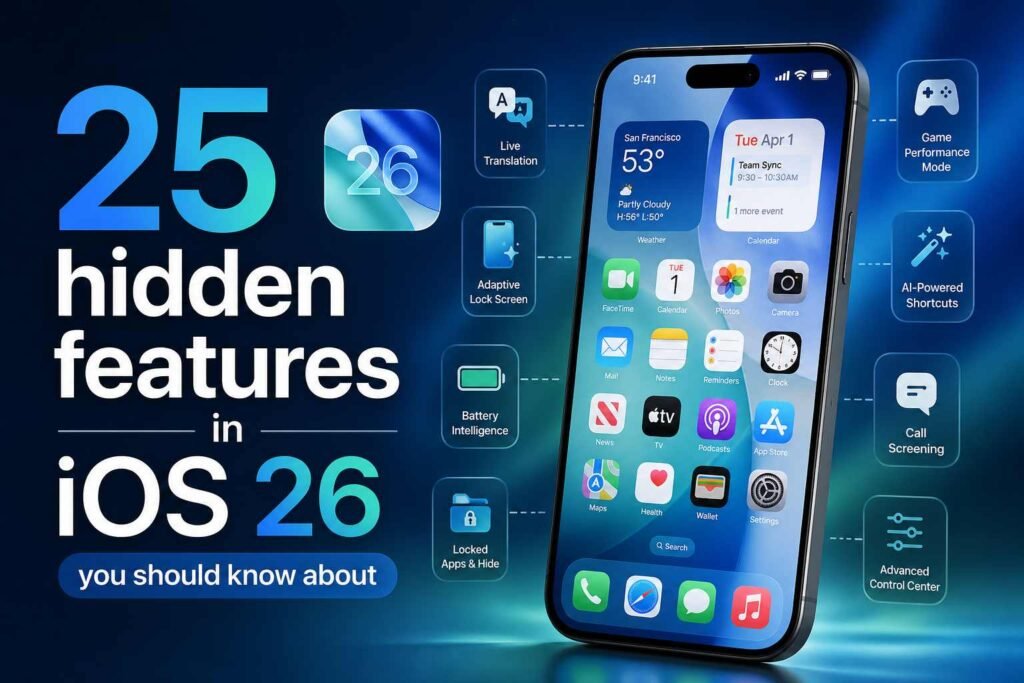
In this article we will look at 25 hidden features of iOS 26 you need to know about including specific examples of how to use each feature in your daily routine.
Smart Application Locking
1.Better Security per Application
With iOS 26, a new method of locking individual apps via Face ID or Touch ID has been added to the software; there are now no more workarounds using Screen Time. The new locking feature is built directly into the operating system and will be useful for all apps containing personal information (such as bank, messaging and note-taking) as it will require users to authenticate via the biometric method every time an application is opened.
2.Hidden Album Lock Enhancements
Better Control over Private Media
The Hidden album in Photos has existed for many years, however with iOS 26 it has been enhanced to allow users to completely hide the album from the Photos app interface; users must authenticate before they will be able to access their hidden photos. The new hidden album will provide better security for your private images even though someone is looking at your cell phone.
3.Smart Focus Filters
Creating Context-Based Application Behavior
Focus mode in iOS 26 will do more than just silence notifications. In iOS 26 you will also be able to create filters for applications depending on your Focus setting so that they will behave in a different manner when you have set your focus on something. For instance, while in Work Focus, your Mail application may only show you work-related emails (and hide your personal emails). This will allow you to create a more productive environment based on what you are currently doing.
4.Customizable Lock Screen Shortcut Apps
Quick Access To The Apps That Matter
You can now use Replacement Apps and replace the default Flashlight and Camera icons with apps or action shortcuts so that you can quickly access certain tools such as voice memos, guides and third party applications.
5.Live Voicemail Transcription
Real Time Screening Of Unknown Callers
Live voicemail transcription allows users to see what someone is saying when they are leaving a message before you decide whether or not to pick up the phone.
6.Message Edit History
Transparent Communication
In the future, once a user edits their message in iMessage there will be a complete history of all edits instead of displaying just the last edit to increase transparency and decrease confusion when communicating.
7.Intelligent Actions For Screenshots
Context Specific Action Suggested
When you take a screenshot, iOS 26 scans its content looking for context specific actions. For example, if you take a picture of a receipt, it may suggest you save it into your finance app or you may be able to extract text from the image.
8.Automatic Deletion Of OTP Codes (One Time Passwords)
Smarter Management Of Messages
All OTP codes sent via SMS will now automatically delete after being used, eliminating clutter from the Messages app without requiring users to manually delete them.
9.Adaptive Battery Insights
More Information About Power Management
In the Battery section of Settings, you’ll be able to see more information than just how much power your apps are using. You will also see trends for how those apps are behaving and suggestions for reducing the amount of power consumed. Also, if you have an unusual pattern of battery drain, the system will identify that for you.
10.Edit Text Using Gestures
Effortlessly Accurate
Multi-finger gestures can be used to quickly select, copy, paste and undo text. Doing so means that people can edit text faster than those who type on the keyboard.
11.Detect Background Audio
Listening to Ambient Sound Better
iOS 26 detects if consistent sounds such as water running, a baby crying or an alarm are present in the background. It will send a notification if such sounds are present. This is especially useful from a safety perspective and for accessibility reasons.
12.Increase Siri Functionality When Offline
Greater Speed and Privacy
Siri is now able to perform more functions when not connected to the Internet. For example, while offline, she can set timers; launch applications; control settings; and more. This increases the speed of her responses and improves privacy.
13.Increased Control of Airdrop
Raise the Security of Shared Files
You now have control of when AirDrop shares your data via “temporary sharing.” Temporary sharing automatically stops sharing after a preset time, thereby making sure you do not share data accidentally in public space.
14.Create Custom Vibration Patterns
Receive Personalized Notifications
With iPhone devices that support haptic feedback, you can create custom vibration for each contact or type of notification so that you know who is calling or what type of notification has occurred based solely upon the vibration.
15.Safari’s Profile Separation
Work and Personal Browsing
In the latest version of Safari, there is the ability to create multiple profiles with separate play history records/cookies & extensions for the Work & Personal Browsing Experiences.
16.Notes’ Smart Tagging Feature
Better Organization of Your Notes
The Notes app will automatically tag and suggest tags that correspond to the content of your notes so that you’ll have a much easier time organizing them without having to manually create categories.
17.Visual Lookups Extended
Greater Recognition of More Objects
Visual Lookups now can identify more items (e.g., tools, plants) & landmarks/etc., providing detailed information found within the Photos app for further identification.
18.Dynamic Weather Alerts
Hyper-Localized Weather Notifications
Newly improved weather alerts provide notifications based on your current location instead of a general area providing less accurate weather alerts. This is now referred to as “Hyper Location Weather Alerts.”
19.Custom Sorting Within The App Library
Complete Customization of How You View Your Apps
You now can control how your apps are grouped and arranged in the App Library. Thus allowing you to find your commonly (or frequently) used apps faster.
20.Follow-up Reminder Suggestions Within The Mail App
Maintain Communication with Others
The Mail app has the ability to inform you if any emails sent by you to others/you have not responded to and will suggest you follow-up on these emails. This is particularly useful for business communication/time management.
21.New Keyboard Trackpad Functionality
Improved Control of Cursor Movement
Pressing on the spacebar will allow the keyboard to function as a trackpad. This feature has been enhanced with iOS 26.
22.Smart Home Automation Triggering
Contextual Automation
New triggers for smart home automation are supported by more than just device usage; other influences include weather and other types of conditions, thereby enhancing the level of intelligibility in a given set of devices.
23.Evolution of Screen Recording Tools
Improved Recording Ability
Screen recordings now allow you to separate audio input sources, potentially capturing only the microphone input source or system sounds exclusively. An example would be creating video tutorials or producing online content.
24.Accessibility Shortcut Extensions
Quick Access to Key Components via Shortcuts
By creating a shortcut, users can have more than one accessibility-related item grouped together and be able to quickly request them via controls in the Control Center or with a side button.
25.Hidden Performance Enhancements
Additional Performance When You Really Need It
iOS 26 introduced a hidden performance enhancement mode that gives the system extra processing capability on demand for high-performance tasks (e.g., gaming / video editing). Though not advertised, this can be found in the developer settings or through automation.
Conclusion
iOS 26 is an evolution of the iPhone beyond being a touch up or marketing gimmick, it has added new capabilities and improved on existing ones, which is what will be discovered throughout the next 25 items of this article, Apple is still continuing to expand on ways to improve user experience.
By utilizing the 25 new iPhone features from iOS 26, you will be able to change the way you interact with iPhone in new and improved ways; whether that is by having better privacy controls, smarter automations and productivity, or something else, there will be something that every iPhone user will be able to use and benefit from.
In today’s society where smartphones play such a large part of daily life (personal and work), being able to utilize the many new iOS 26 features will not only help you use your iPhone better, but will ultimately be a necessity.

Good article 👍